> For the complete documentation index, see [llms.txt](https://docs.smart-stuff.nl/llms.txt). Markdown versions of documentation pages are available by appending `.md` to page URLs; this page is available as [Markdown](https://docs.smart-stuff.nl/p1-modbus-dongle/smart-meter-modbus-adapters.md).
# Smart Meter Modbus Adapters
Choose, install and configure a Smartstuff smart meter to Modbus RTU adapter.
Smartstuff Smart Meter Modbus Adapters make data from supported smart meters available locally through Modbus RTU. This documentation covers firmware v3 for all current Modbus RTU adapters, firmware v2 for existing installations and legacy firmware v1 installations.
{% hint style="info" %}
Start by choosing the hardware variant. Connections, power requirements and physical controls differ between adapters. Firmware v3 is available for every current Modbus RTU adapter.
{% endhint %}
## Choose your adapter
### D1MC
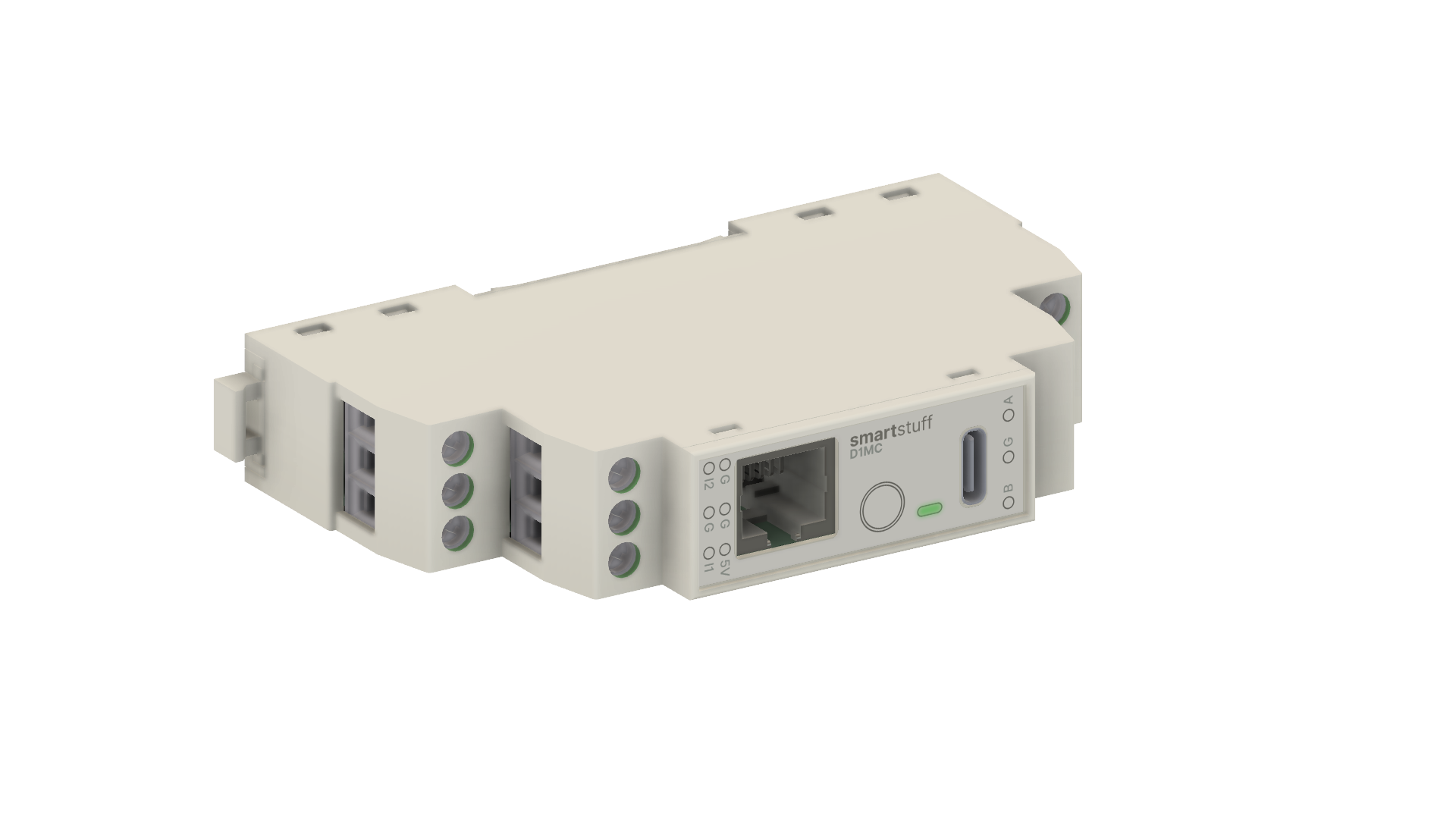
D1MC DIN-rail adapter.
Choose [D1MC](/p1-modbus-dongle/hardware-variants/hardware-variants/d1mc.md) for a fixed DIN-rail installation, HAN-NVE support, Modbus RTU screw terminals, flexible 5 V power options and software-controlled RS485 termination.
D1MC currently converts DSMR/P1 and HAN-NVE to Modbus RTU. Its physical Linky TIC/S0 interface is present, but Linky software support is planned and not yet available.
### P1 Modbus Pro (NRGD)
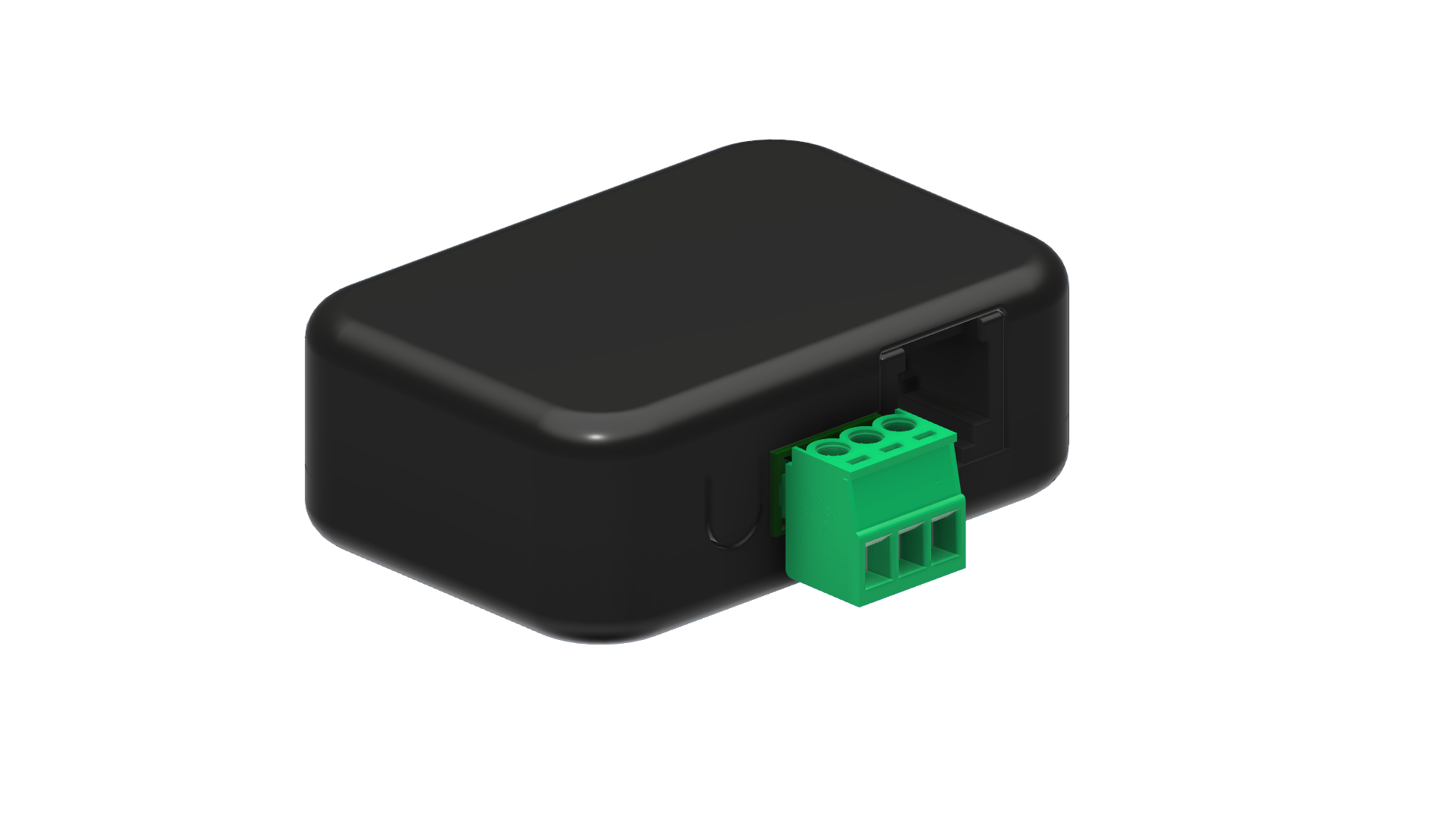
P1 Modbus Pro (NRGD).
Choose [P1 Modbus Pro](/p1-modbus-dongle/hardware-variants/hardware-variants/p1-modbus-pro.md) for a compact smart-meter-to-Modbus RTU adapter. NRGD is available as a regular implementation and as an implementation based on ZAP2/NRGDH. The latter also supports HAN-NVE with a HAN (RJ45)-to-RJ12 cable. Check the connection sticker on the dongle because their Modbus `A` and `B` positions differ.
## Hardware and feature matrix
| Feature | P1 Modbus Pro (NRGD) | Din rail adapter (D1MC) |
| ------------------------------------- | -------------------------------------------------------------------------------- | ------------------------------------------- |
| DSMR/P1 input | Available | Available |
| HAN-NVE | Available on the ZAP2/NRGDH-based implementation with a HAN (RJ45)-to-RJ12 cable | Available with adapter cable |
| Linky TIC hardware | Not available | Interface present; software support planned |
| Modbus RTU | Available | Available |
| Software-controlled 120 Ω termination | Not available | Available; enabled by default |
| USB connection | USB-C | USB-C |
| Additional 5 V screw-terminal supply | Not available | Available |
| P1 output | Available | Not available |
| Firmware v3 | Available | Available |
| Firmware v2 | Available for existing installations | Available for existing installations |
| Firmware v1 | Legacy installations only | Not supported |
The old white P1 Modbus adapter is intentionally excluded from this current-product matrix. It remains documented only where an older installation or [firmware v1](/p1-modbus-dongle/firmware-v1-legacy/firmware-v1.md) requires it.
## Firmware
All current Modbus RTU adapters can use [firmware v3](/p1-modbus-dongle/firmware-v3-all-modbus-rtu-adapters/firmware-v3.md). In addition to the standard selectable register mappings, v3 lets an expert create and store a custom Modbus mapping for an unsupported system.
Firmware v2 remains documented for existing installations. Both generations provide configurable Modbus RTU settings and local diagnostics through the USB Device Manager. Hardware-dependent settings appear only when the connected adapter supports them.
## Get started
1. [Choose and install the hardware variant](/p1-modbus-dongle/hardware-variants/installation.md).
2. [Connect to the Device Manager](/p1-modbus-dongle/firmware-v2-existing-installations/device-manager.md).
3. Configure the meter source and Modbus RTU settings.
4. Select a standard mapping or, with v3, [create a custom mapping](/p1-modbus-dongle/firmware-v3-all-modbus-rtu-adapters/custom-mapping.md).